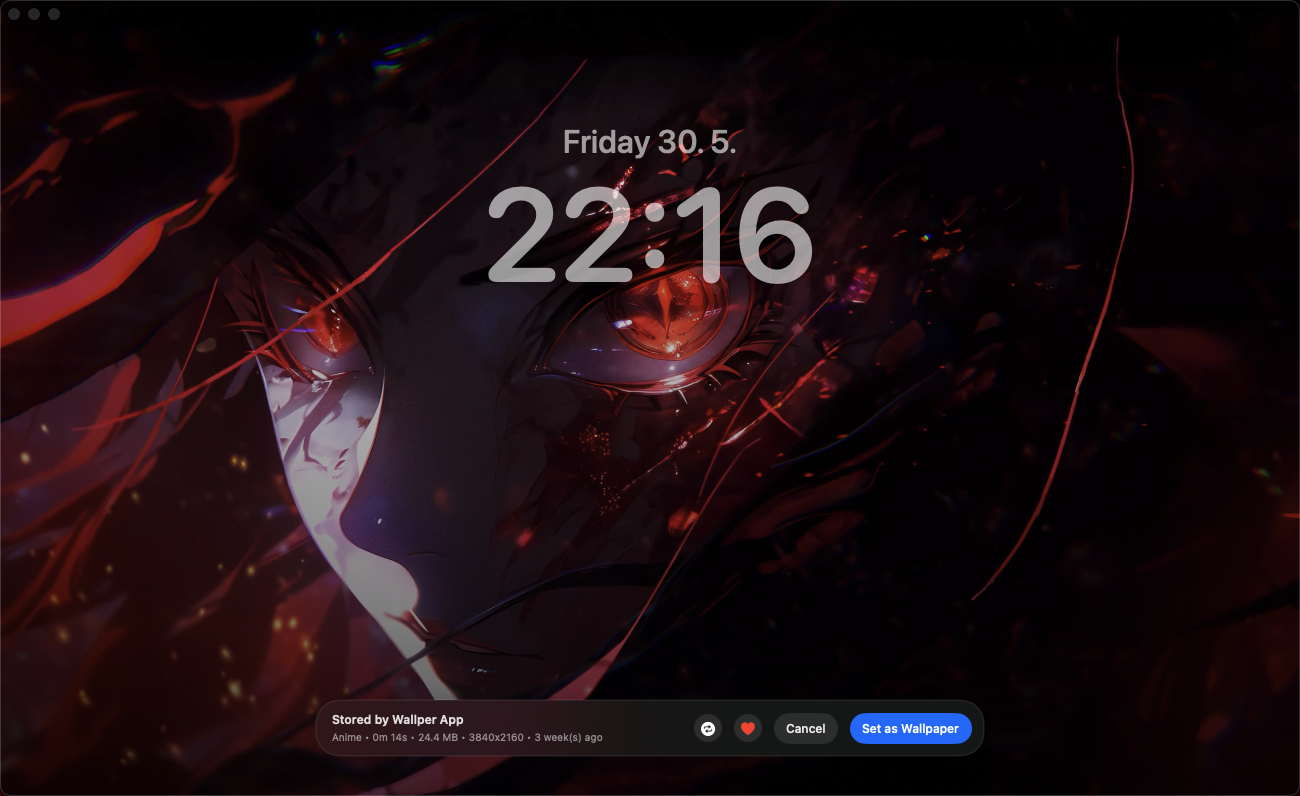
Wallper Review: Is This the Best Live Wallpaper App for Mac?
Wallper promises native, resource-friendly live wallpapers for Mac without daemons or workarounds. I went straight to the official site and pricing page to check the real features, license cost, and terms before writing this review.

What Is Wallper?
Wallper is a native live-wallpaper app for macOS that plays 4K video wallpapers on your desktop and Lock Screen with automatic resource management. The site emphasizes it works "without daemons or workarounds" — meaning it's built to behave like a proper native Mac app rather than a background hack. It requires macOS 14.6+ and supports both Apple Silicon and Intel Macs, with no login required to use it.
Core Features
- 2,600+ 4K wallpapers: A curated library of high-resolution video wallpapers spanning categories like nature, cartoons, and cars.
- Studio: A built-in tool to create and export your own live wallpapers, including uploading your own video files.
- Multi-display support: Run different wallpapers across multiple connected displays.
- Performance controls: Options to reduce quality on battery, pause playback when an app is fullscreen, pause on high CPU usage, and toggle Retina (2x) rendering to manage GPU load — the site states the app is "smooth on every Mac — from Intel to M5" with an idle CPU and low memory footprint.
- Music sync and Lock Screen support: Wallpapers can sync to music and also appear on the Lock Screen (Pro tier).
- Community gallery: Browse and upload wallpapers to a shared community gallery.
- Creator tools: Cloud sync for Studio projects, a creator analytics dashboard tracking views/downloads, and eligibility for featured submissions on higher tiers.
Pricing (Straight From the Pricing Page)
Wallper uses one-time license pricing rather than a subscription, with a free 7-day trial:
- Free Trial — $0 for 7 days: Full access to all Pro features, including the complete 4K library and community features, no credit card required. After 7 days the app locks until you purchase a license.
- Pro — $14.99 one-time (Most Popular): Lifetime license, covers up to 3 personal Macs, all future updates included, full Studio export/save, community gallery uploads, and music sync/lock screen support.
- Pro+ — $24.99 one-time (For Creators): Everything in Pro, plus up to 5 Macs, cloud sync for Studio projects, a creator analytics dashboard, unlimited gallery uploads, featured submissions, and Studio cloud backup.
- Enterprise — custom pricing: Per-seat licensing for cafés, showrooms, studios, and offices, including a central admin console, MDM/PKG silent install (Jamf, Kandji, Mosyle), SSO (SAML/OIDC), centralized billing with NET-30 availability, and SLA-backed support.
The site notes both Pro and Pro+ are one-time purchases with lifetime updates — not subscriptions — and come with a 14-day money-back guarantee. Local currency prices (e.g., VND) shown on the site are approximate; actual payment is processed in USD via Stripe at the live exchange rate, with any applicable sales tax added at checkout.
Pros and Cons
Pros
- One-time payment model ($14.99 or $24.99) rather than a recurring subscription — you own the license for life with future updates included
- Genuinely native performance controls (battery-aware quality reduction, fullscreen pause, high-CPU pause) that address the usual "live wallpaper drains my battery" complaint
- Large curated library of 2,600+ 4K wallpapers plus the ability to upload and create your own via Studio
- Free 7-day trial with full Pro feature access and no credit card required
- 14-day money-back guarantee if it doesn't work out
Cons
- Requires a relatively recent macOS version (14.6+), so users on older systems won't be able to install it
- Creator-focused features (cloud sync, analytics dashboard, unlimited uploads) are locked behind the pricier Pro+ tier
- Enterprise pricing isn't published — teams and venues need to request a trial/quote directly
Frequently Asked Questions
How does the free trial work?
You get full access to all Pro features for 7 days, including the complete 4K library and community features. After 7 days the app locks until you purchase a lifetime license — there's no subscription or auto-charge.
Is Wallper a subscription?
No. Wallper Pro and Pro+ are one-time purchases. You pay once and keep the app forever, with lifetime updates included at no extra recurring cost.
How many devices are included with a license?
The Pro license covers up to 3 personal Macs at the same time, and Pro+ covers up to 5. If you replace a machine, you can unlink the old one and add the new one.
How do refunds work?
Wallper offers a 14-day money-back guarantee. You open a refund request, send your order email, and the team processes it within 3–5 business days.
Final Verdict
Wallper stands out in the live-wallpaper space mainly because of its pricing model and its focus on genuine Mac-native performance — a one-time $14.99 Pro license with lifetime updates is a refreshing alternative to yet another monthly subscription, and the battery/CPU-aware performance settings show real attention to the pain points of live wallpaper apps. If you want to test it risk-free, the 7-day trial with no credit card required is the easiest way to see if it fits your workflow before buying.
Try Wallper's live wallpapers free for 7 days →
#Wallper #MacApps #LiveWallpaper #macOS #DesktopCustomization #4KWallpaper